
Multilingual surveys
Translate a survey into as many languages as you need. Each respondent sees it in their own language, and every answer lands in one report.
A survey used to carry one set of texts. If your users speak several languages, that left two options: ask everyone in English, or run a separate survey per language and compare the reports by hand.
Surveys are now multilingual. One survey holds as many languages as you need, and every answer still lands in one report.
Adding a translation
Survey texts sit under tabs. The first tab is the survey's base language, the rest are translations. "Add translation" in the menu next to the tabs opens the language list.
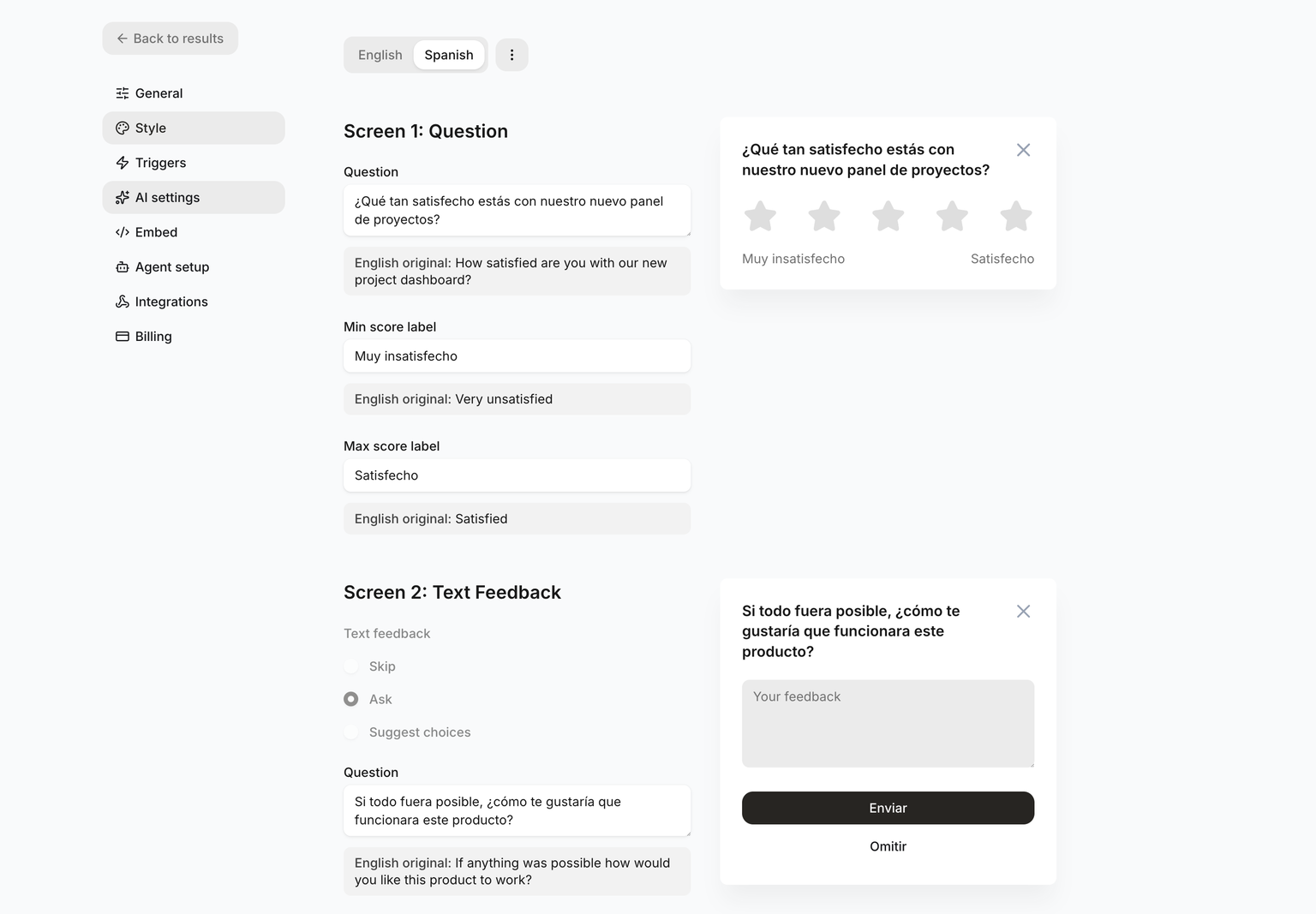
Every tab edits the same fields, with the original under each one. Leave a field blank and it falls back to the base language, so a half-finished translation is safe to save.
Which language a visitor sees
People see the survey in the language they have already set in their browser or on their phone.
That comes from the Accept-Language header, matched against the survey's languages. A regional tag counts as its language, so de-AT gets the German texts. If nothing matches, the visitor sees the base language.
If your app already knows the visitor's language, pass it when you start the widget:
ftools('init', {
  surveyId: '__SURVEY_ID__',
  publishableKey: '__PUBLISHABLE_KEY__',
  language: 'de'
});
The option wins over the header. A tag we can't resolve is ignored, not an error. The rest of the options are in the init reference.
Answers and analysis
Respondents write in their own language, and their words are stored as written. Analysis doesn't change either: themes and findings come out in the one language set in the survey's AI settings, so a Spanish response and a Polish one land in the same report. That setting is covered in Product Context.