Multilingual Surveys
Ask customers for feedback in their language. See every response in one place.
Customer Surveys
Ask your users what they think about your product at the right moment, when they actually want to share feedback
NPS Survey
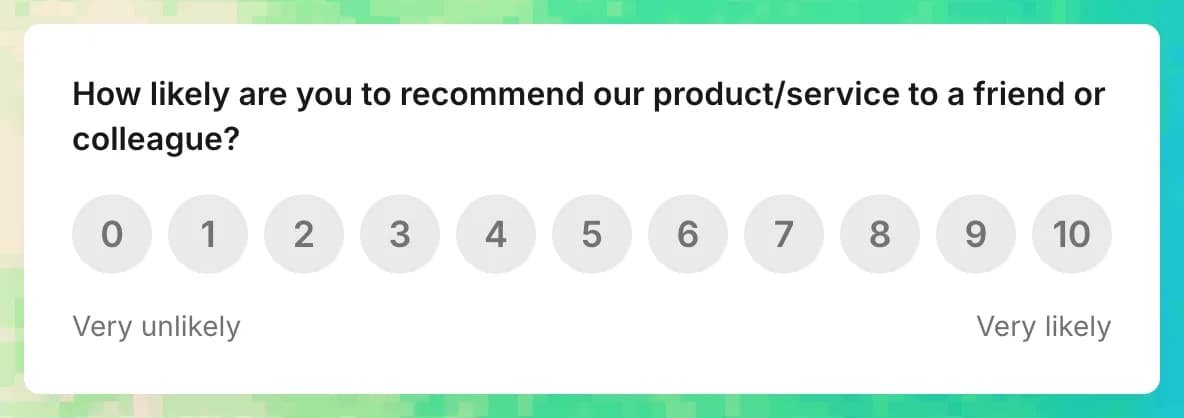
Learn moreAsk users if they'd recommend your product.
Understand the reasons behind user loyalty and word-of-mouth growth.
Customer Satisfaction Survey
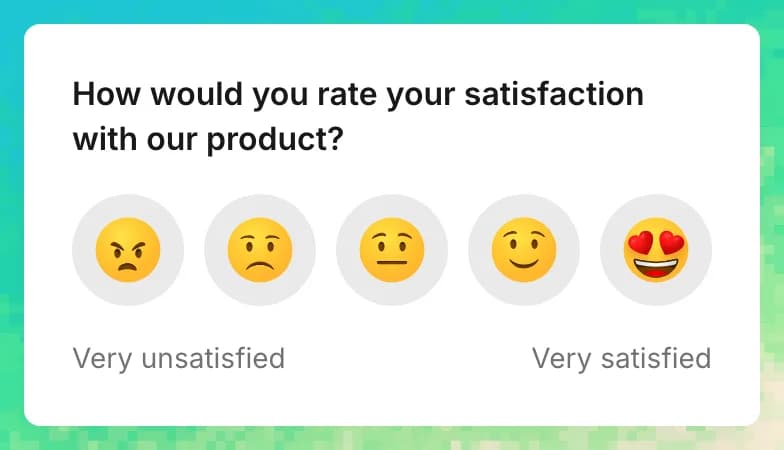
Learn moreAsk users about their overall satisfaction.
Find out what users love most about your product and what needs improvement.
Customer Effort Survey
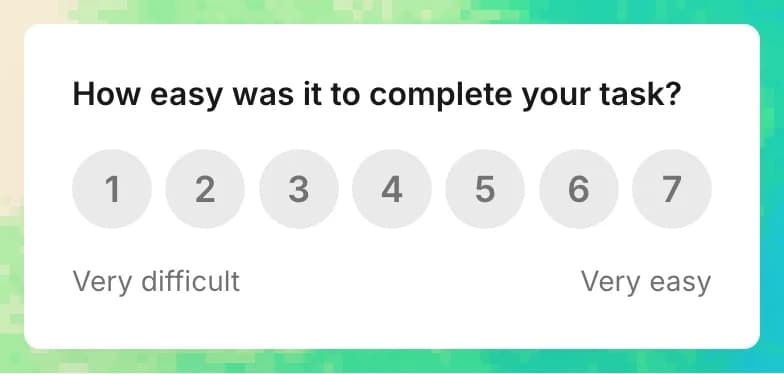
Learn moreAsk users how easy it is to use your product.
Identify barriers and simplify their experience.
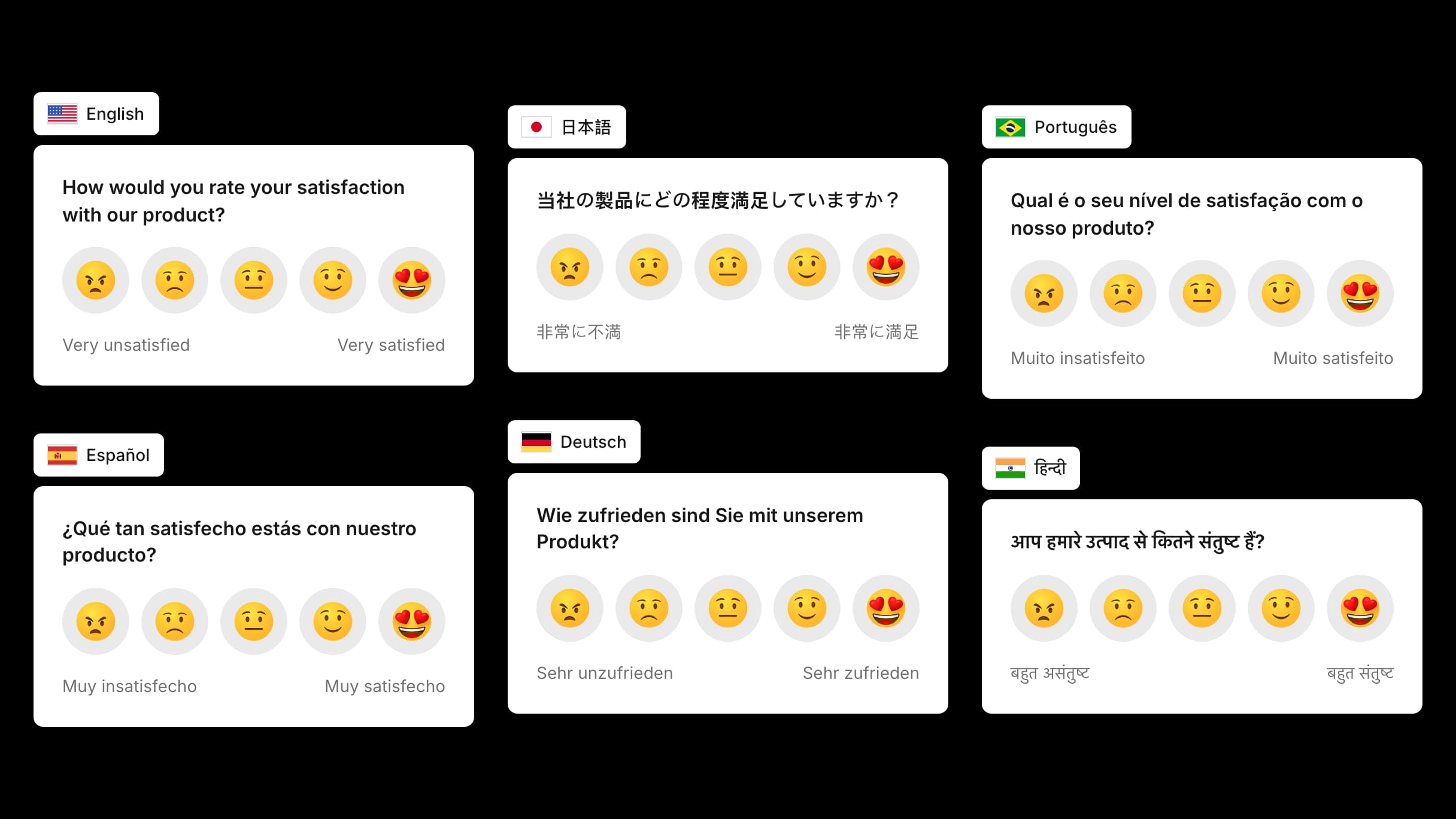
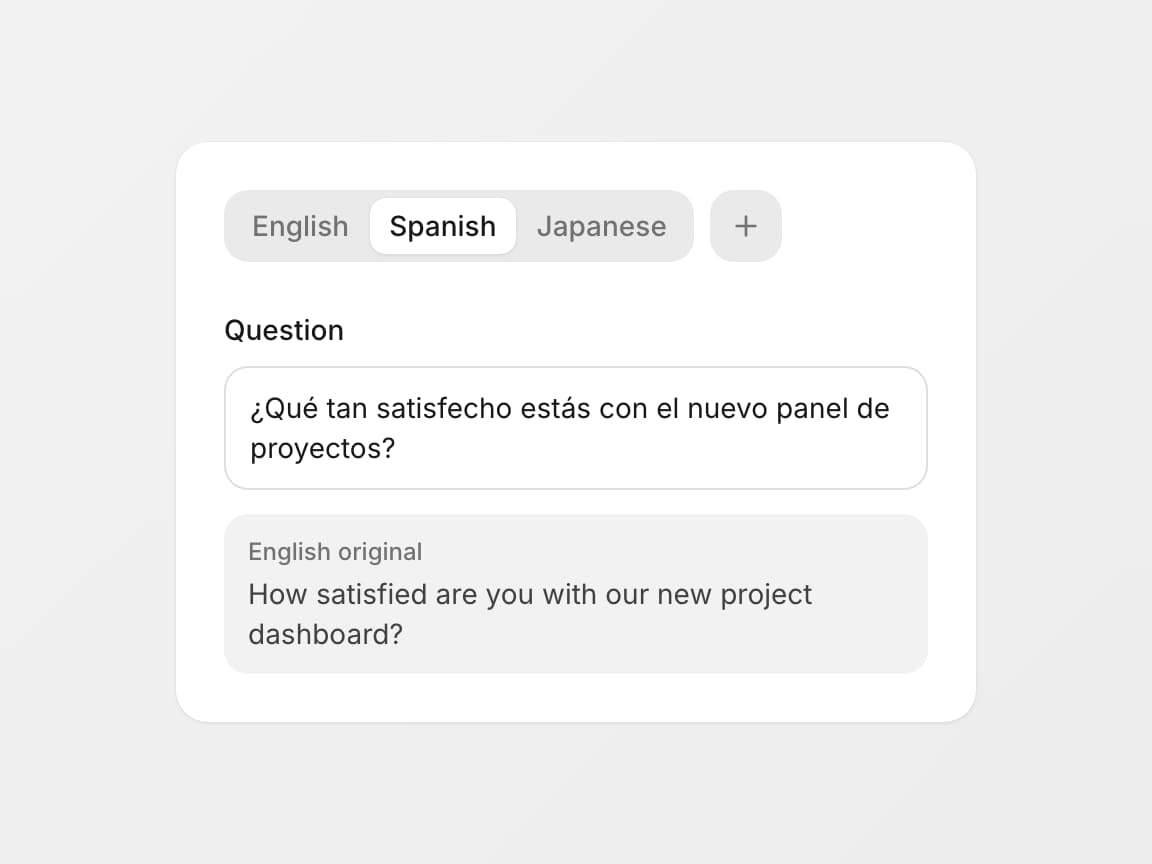
One survey in many languages at once
Run a single survey for your whole audience. Add your own translations for every language you serve, and each respondent sees the same question in theirs.
You keep one set of results, one score and one place to compare answers, no matter how many languages you support.
- 50 languages, including regional variants
- Everything the respondent reads is translatable
- Untranslated text falls back to the base language
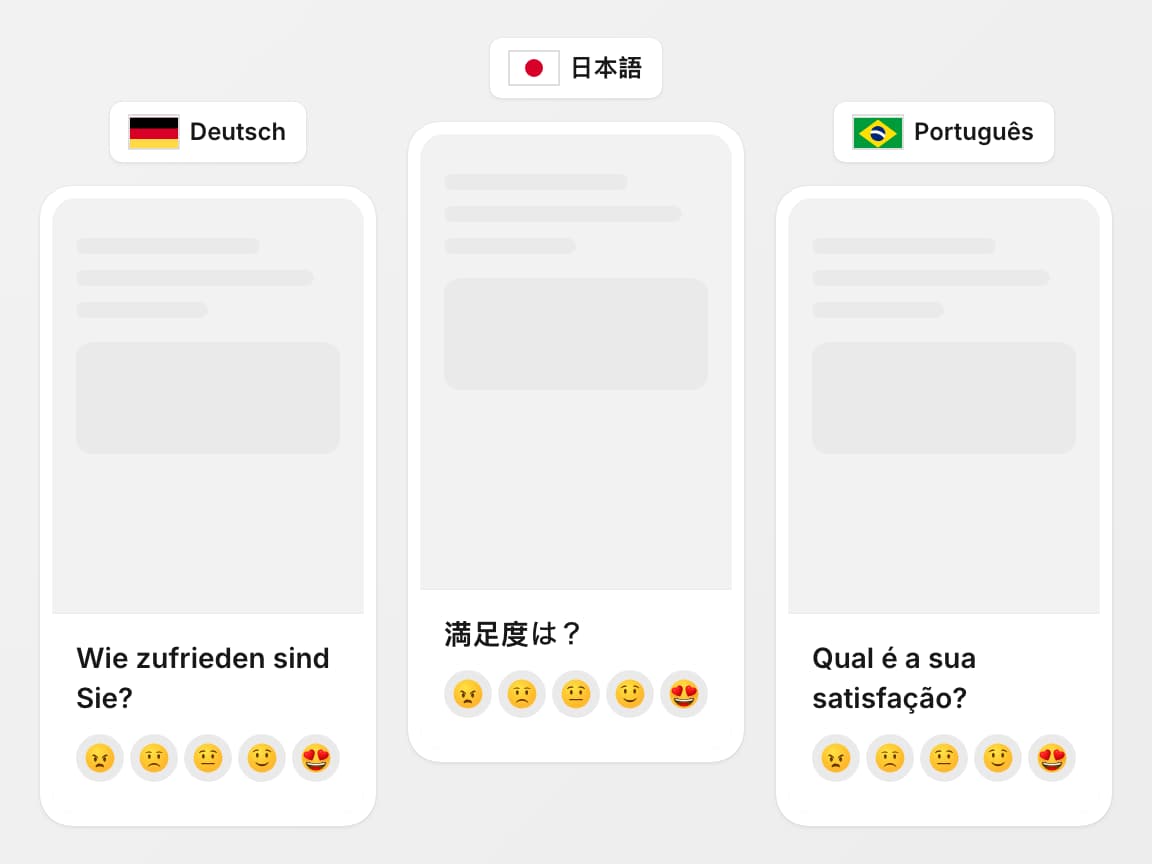
Respondents see their own language
The survey opens in the visitor's language without any action from them. It follows the browser language, or the language your app already knows about the user.
If a language is not among your translations, the respondent sees the base version of the survey.
- Picked from the browser or set by your app
- Regional variants such as Brazilian Portuguese respected
- Unknown languages fall back to the base version
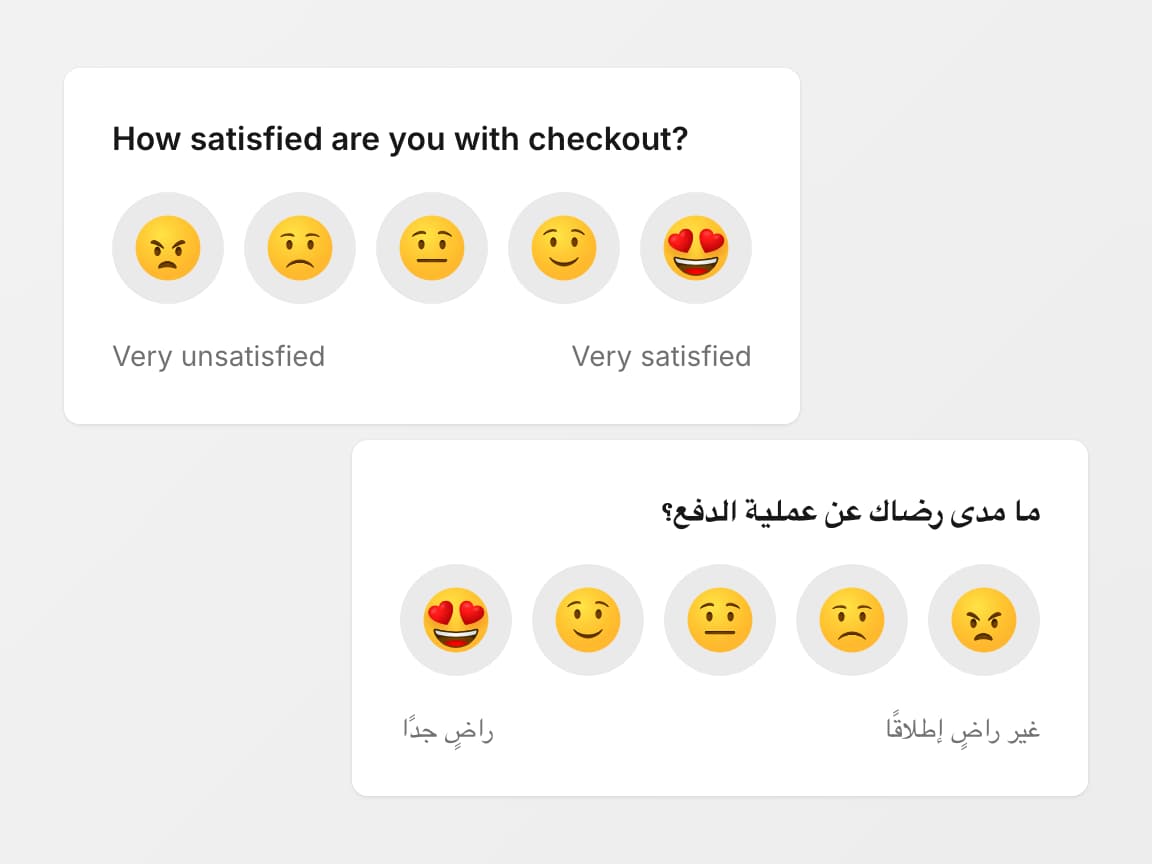
Right-to-left languages read naturally
Surveys in Arabic, Hebrew, Persian and other right-to-left languages read the way native speakers expect, from right to left.
The whole layout flips with the text: the question, the rating scale, the buttons and the icons.
- Arabic, Hebrew, Persian and other RTL languages
- Question, scale, buttons and icons mirrored
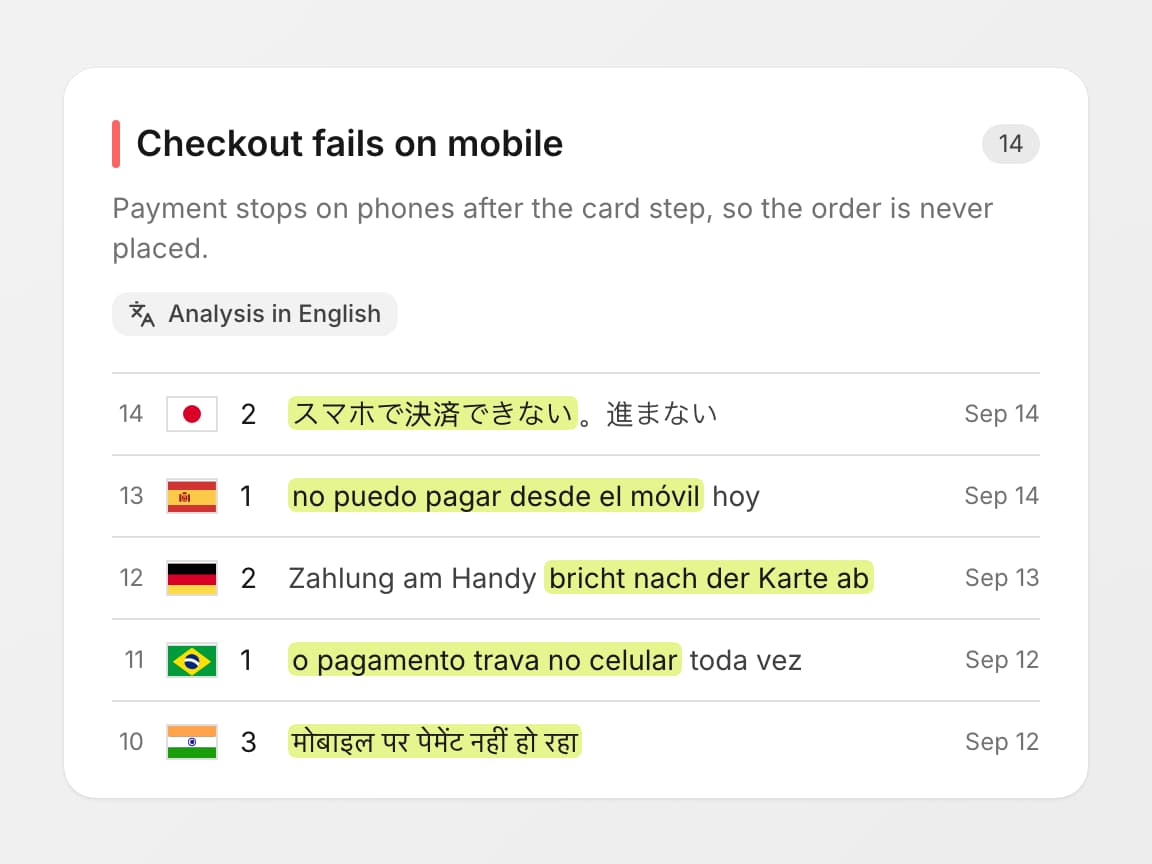
One report in your team's language
Feedback arrives in many languages, but your team reads one. Choose the language for analysis, and AI writes themes, findings and the weekly digest in it.
Original answers stay exactly as respondents wrote them. Quotes in findings are copied word for word from the original answer.
- Themes, findings and digest in one chosen language
- Written in that language, not machine-translated
- Quotes and raw answers kept verbatim
No extra charge for languages
Multilingual surveys come with the Standard plan and work during the trial.
50 languages
Show the survey in your visitor's language and read the analysis in the language you pick
- Albanian
- Arabic
- Armenian
- Azerbaijani
- Bengali
- Bulgarian
- Catalan
- Chinese (Simplified)
- Chinese (Traditional)
- Croatian
- Czech
- Danish
- Dutch
- English
- Estonian
- Filipino
- Finnish
- French
- Georgian
- German
- Greek
- Hebrew
- Hindi
- Hungarian
- Icelandic
- Indonesian
- Italian
- Japanese
- Korean
- Latvian
- Lithuanian
- Macedonian
- Malay
- Norwegian
- Persian
- Polish
- Portuguese (Brazil)
- Portuguese (Portugal)
- Romanian
- Russian
- Serbian (Cyrillic)
- Serbian (Latin)
- Slovak
- Slovenian
- Spanish
- Swedish
- Thai
- Turkish
- Ukrainian
- Vietnamese
Same question, in their words
How familiar NPS and CSAT questions sound to customers in Madrid, Berlin, Paris or São Paulo. A good start for your own translations.
Product loyalty
NPS- English
How likely are you to recommend our product to a friend or colleague?
- Español
¿Cuál es la probabilidad de que recomiende nuestro producto a un amigo o colega?
- Deutsch
Wie wahrscheinlich ist es, dass Sie unser Produkt einem Freund oder Kollegen empfehlen?
- Français
Quelle est la probabilité que vous recommandiez notre produit à un ami ou à un collègue ?
- Português
Qual é a probabilidade de você recomendar nosso produto a um amigo ou colega?
- English
Overall experience
CSAT- English
How would you rate your experience?
- Español
¿Cómo calificaría su experiencia?
- Deutsch
Wie würden Sie Ihre Erfahrung bewerten?
- Français
Comment évaluez-vous votre expérience ?
- Português
Como você avalia a sua experiência?
- English
Help article
CSAT- English
Was this article helpful?
- Español
¿Le ha resultado útil este artículo?
- Deutsch
War dieser Artikel hilfreich?
- Français
Avez-vous trouvé cet article utile ?
- Português
Este artigo foi útil?
- English
All your feedback in one place
A real-time pulse on what users think, and an automated priority list of what to fix first

Satisfaction score
One clear number that shows how users feel about your product and whether satisfaction is improving over time.
Spot trends in requests
See which features users keep asking for and which bugs are causing the most frustration, so you know exactly where to focus your efforts.
Input
Distribute your surveys wherever your users are
Web Popup
Show a survey as a popup on your website.
Web Inline
Embed a survey in-app, inside your page.
Email
Collect answers right inside an email.
Mobile app
Run a survey inside your mobile app.
Direct link
Share a direct link to a survey anywhere.
QR code
Share a survey as a printed or on-screen QR code.
Email inbox
Forward any email to save it as feedback.
Output
Turn raw responses into answers you can act on
Insights dashboard
A dashboard with insights that answers the questions you care about.
See the dashboardWeekly report
A regular digest of what your users are telling you.
API
Pull raw data into your own custom solutions and build anything by hand.
DocumentationMCP
Query and analyze your data directly from AI tools.
Integrations
Send feedback to Slack, Discord, GitHub, webhooks and other third-party tools.
Explore integrations
FAQ
Which languages can I translate a survey into?
50 languages, including regional variants: Portuguese for Portugal and Brazil, Serbian in Cyrillic and Latin, Chinese in Simplified and Traditional. One survey can hold as many of them as you need.
A regional browser tag falls back to its language. A visitor with de-AT sees the German version. A plain pt tag with no region shows the base language.
How does the survey pick the language for each respondent?
It follows the visitor's browser language list, strongest preference first. If the first language has no translation, it tries the next one. If your base language appears anywhere in that list, it wins. Otherwise the visitor sees the base language.
The same rule applies to the in-app widget, direct survey links and QR code pages. An unknown or untranslated language never causes an error: the visitor simply sees the base version.
What exactly gets translated?
Everything the respondent reads, 12 fields in total: the question, min and max scale labels, choice options, the text question, the text button label and its skip label, the thank-you message, the contact question, the contact subtext, and the contact send and skip button labels.
Scale style and response type are shared by all languages. You set them once on the base tab.
What happens if a translation is missing or unfinished?
The base language fills the gap, field by field. Leave any field blank on a translation tab and the respondent sees the base text for that field only. A half-finished translation is safe to save and publish.
Nothing is required on a translation tab. You can also remove a translation at any time, and respondents in that language switch back to the base version.
How does AI analysis work when answers come in different languages?
All answers land in one report with one score, whatever language they were written in. You pick an analysis language once, in the survey's AI settings. English is the default, and the same 50 languages are available.
The AI writes theme names, findings (bugs, feature requests, emotions) and the weekly digest directly in that language. It is not machine-translated afterwards.
Quotes inside findings are copied word for word from the original answer. Raw answers are stored exactly as written, and each response keeps the question wording the respondent actually saw.
Can I see where responses come from?
Yes. Every response keeps the respondent's country, and the dashboard can filter by it. You can also limit a survey to a list of allowed countries.
Each response also stores the exact question wording the respondent saw, so you always know which version of the survey they answered.
Do I need code changes to add languages?
No. Add a translation from the language menu in the survey editor, fill in the fields and save. The widget, direct links and QR code pages pick up the new language automatically from the visitor's browser settings.
Does it cost extra?
No. There is one plan and multilingual surveys are part of it, with no add-on and no feature gates. Responses are unlimited in every language.
You can try it on the 7-day free trial. No credit card required, cancel anytime.